Documentation
Nov 8, 2026HWM Midi Surface iOS AUv3
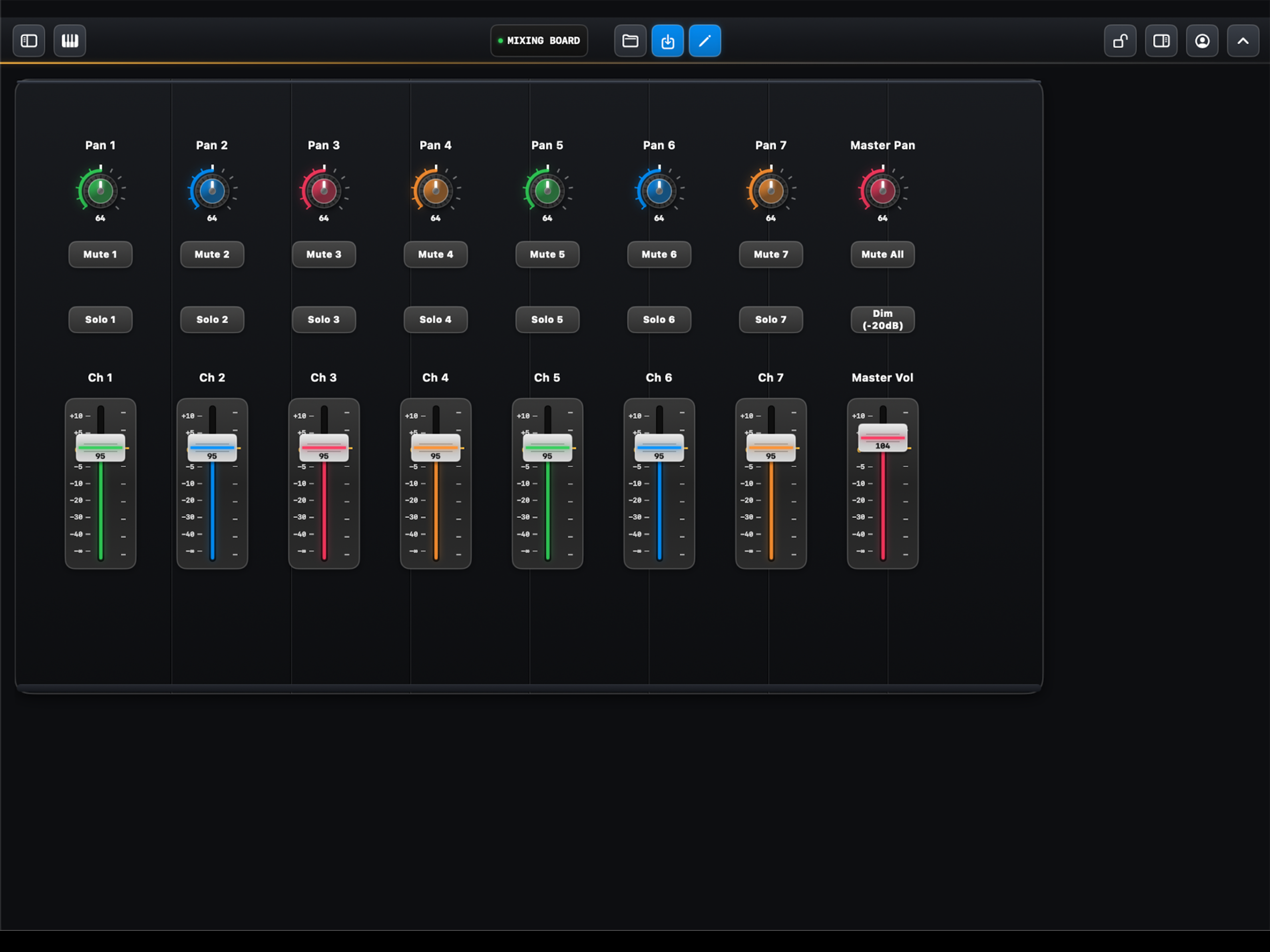
MidiSurface Pro — User Manual & Control Reference
The definitive user manual and specification catalog for MidiSurface Pro on iPadOS and iOS. Build bespoke console decks, route polyphonic channels, configure kinetic physics generators, and master live setups in AUM, Logic Pro, and standard AUv3 audio plugin hosts.
1. iOS AUv3 Overview
MidiSurface Pro is a modular, high-resolution Audio Unit v3 (AUv3) MIDI Processor and standalone performance instrument for iPadOS and iOS. It delivers sub-millisecond MIDI CC, Pitch Bend, and Note generation combined with kinetic physical simulations and multi-bus routing matrices.
MidiSurface is engineered with a strict lock-free CoreAudio render architecture. UI touches push into a thread-safe ring-buffer queue (MidiQueue), and every outgoing MIDI packet is stamped with AUEventSampleTime(mSampleTime) directly within the host’s real-time audio block.
2. How to Build Custom Surfaces
Creating a custom console layout in MidiSurface is fast, flexible, and completely visual:
-
- Enter Edit Mode: Tap Perform / Edit in the top navigation bar. In Edit Mode, controls unlock, dotted alignment borders appear, and the left drawer can be opened.
edit mode
-
- Open the “Add Controls” Palette: Tap the + Add button on the left of the top bar to slide open the modular Control Palette.
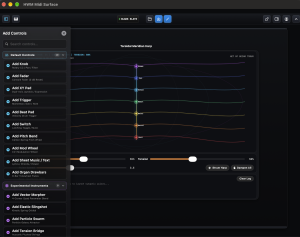
- Collapsible Categorized Library: All 24 modules are organized into 3 collapsible accordion categories with live count badges and subheadings:
- Default Controls (10): Core console modules including Rotary Knob, Console Fader, XY Touch Pad, Trigger Button, Latching Switch, MPC Beat Pad, Pitch Bend Ribbon, Modulation Wheel, Organ Drawbars, and Sheet Music / Text Module.
- Experimental Controls (9): Dynamic kinetic and physical simulation instruments including Tension Bridge (6-String Acoustic Model), Toroidal Meridian Harp, Starry Vortex Bowing Field, Liquid Waves, Elastic Slingshot, Particle Swarm, Spiro Tracer, Hyperbolic Loom, and Vector Morpher.
- Master Controls (5): Comprehensive session and bus routing utilities including Preset Loader Dial, KeySplittr Zone Manager, MIDI Matrix (16×16 Crosspoint), Stereo VU Meter, and MIDI Monitor (Live Hex Stream).
Tap any accordion section header to expand or collapse it, or use the live keyword search bar at the top to filter instantly across all categories.
- Intelligent Placement & Auto-Dismiss Alert: Tap any control tile. The intelligent placement algorithm calculates bounding geometries and places the new module in the nearest open grid space without colliding with existing controls. A centered, high-contrast confirmation modal appears (e.g. “Fader added”) with a green checkmark, adhering to Apple’s design standards with a smooth 2-second auto-fadeout (or tap OK to dismiss immediately).
- Position & Resize: Drag the control across the deck to position it. If Snap to Grid is enabled, controls smoothly click into grid intervals. Drag the resize handle in the bottom-right corner to expand a control (e.g. stretching a fader throw or expanding a 6-string Tension Bridge).
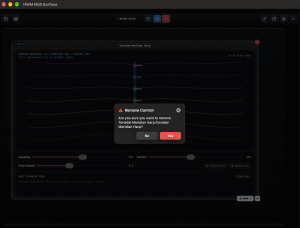
- Selection & Deletion: Tap any control to select it. When selected, the right-hand Inspector opens for MIDI bindings and appearance settings. To delete a module, tap the Trash icon; a safety confirmation modal ensures you never delete controls accidentally.
- Switch to Perform Mode: When your deck is ready, switch back to Perform. All editing borders disappear, controls lock securely in place to prevent accidental movement during live stage performances, and labels cleanly format according to your profile preferences.
3. Focal-Point Zoom & Canvas Navigation
Console decks can be large—spanning multi-instrument routing, expansive drum grids, and deep synthesizer patch panels. MidiSurface includes a fluid, non-jittery navigation engine tailored for iPad touchscreens:
40% – 400%
Place two fingers down anywhere on the console and pinch or spread. The zoom anchor locks to the exact midpoint between your fingertips, dynamically panning the canvas so the module you are focusing on remains centered under your fingers.
RESET
Double-tap anywhere on the open console deck with two fingers to immediately spring the canvas back to default 100% scale.
Whenever your viewport is zoomed away from 100%, an interactive floating pill appears in the bottom right (e.g. 160% FIT). Tapping this pill restores 100% fit instantly. You can also toggle Scroll Lock in the top navigation bar when you want to execute fast, sweeping finger gestures across XY pads, harps, or slingshots without accidentally panning the canvas.
4. Grid Snapping & Anti-Collision
- Snap To Grid: In Profile Settings, toggle
Snap to Grid. An unobtrusive dot matrix grid appears across the chassis in Edit Mode.
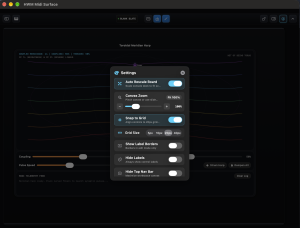
- Configurable Step Sizes: Select between 10pt (fine alignment for knobs and tight labels), 20pt (standard console layout spacing), or 40pt (large performance layouts).
- Anti-Overlap Engine: When snapping is active, dragging a control will never let its bounding box penetrate another module’s boundary. If an obstruction is met, it slides along adjacent grid channels, preserving spacing and preventing UI collisions.
6. Color & Theme Customization
Choose from four meticulously designed visual environments via the Profile & Theme menu:
- Modern Console: Refined precision studio console with obsidian matte chassis, hairline micro-borders, controlled switch illumination, and high-contrast telemetry designed to deliver a modern, distinct aesthetic.
- Cyber LED: Electric obsidian chasis with luminous cyan/blue neon accents, dynamic gradient outlines, and glowing retro-futuristic displays.
- Bright Studio: High-key daytime studio aesthetic featuring pristine silver-white chassis plates, crisp dark slate typography, and minimal glare.
- Soft Minimal: Clean, understated flat matte aesthetic with soft charcoal tones, muted pastel highlights, and zero distraction for deep focus.
Launch the complete user manual directly inside MidiSurface without leaving your AUv3 host or DAW! Tap the Profile icon in the top navigation bar and select “User Manual & Guide” to open this documentation directly in an embedded, gesture-friendly frame alongside your console.
At the bottom of the Binding Editor, select from rapid console color presets (Mint, Rose, Sky, Amber, Cyan, Purple) or use the full iOS native ColorPicker to assign any custom hex color.
For sleek, distraction-free performance stages, toggle “Hide Labels” in the Profile menu. In Perform Mode, all text boxes and address labels disappear, leaving clean hardware visuals. When you return to Edit Mode, all labels immediately reappear for safe editing.
Engineered strictly to Apple Human Interface Guidelines for accessibility and dynamic typography, MidiSurface Pro provides an accessible 3-option segmented text size selector in the Profile Settings menu. Choose between Small (compact high density), Medium (standard balanced default), and Large (enhanced stage visibility). All module labels, button text, and switch identifiers scale smoothly across the chassis without clipping.
When performing live or routing complex experimental physical patches, stuck notes or runaway feedback loops can occasionally occur in downstream synthesizers. The MIDI Panic button in the Profile Settings menu instantly broadcasts:
- All Notes Off (CC 123): Sent across all 16 MIDI channels (0xB0 through 0xBF).
- All Sound Off (CC 120): Forces immediate release envelope cutoff on all 16 MIDI channels.
- Reset All Controllers (CC 121): Returns pitch bend, modulation, expression, and damp controllers to their initial resting state.
- Acoustic & Kinetic Damping: Immediately halts particle energy in Swarm, stops vibration in Elastic Tension Bridge, dampens Liquid Waves, resets Elastic Slingshot nodes, and silences all active physical voices.
Designed in accordance with Apple Human Interface Guidelines for destructive/emergency actions, featuring a prominent crimson aesthetic, minimum 44pt touch boundary, high-contrast typography, and tactile confirmation feedback.
To maximize stage surface workspace on iPads and compact AUv3 host windows (such as AUM, Cubasis, or Logic Pro for iPad), the top navigation header can be collapsed. This tucks away the preset name, edit mode button, export tools, and theme menu.
- How to Hide: Tap the collapse arrow (▲) in the top action row, or switch on “Hide Top Nav Bar” in the Profile Settings menu.
- Floating Restore Down Arrow: When hidden, a compact down arrow button (▾) appears in the upper right corner of the workspace.
- Hardware Control Handle Aesthetic: Styled identically to the control resize handle (clean white rounded rectangle, bold black chevron, subtle drop shadow, and compliant with Apple HIG 44×44pt touch boundaries).
- Instant Spring Return: Tapping the floating arrow smoothly restores the top navigation bar with a responsive spring animation. Preferences persist across host sessions.
The built-in slide-up piano keyboard includes dedicated performance controls tailored for expressive touch play and stage accuracy:
- Lock Position Button (🔒 Locked / 🔓 Slideable): Prevents the keyboard canvas from sliding when dragging fingers across the keys. Disables scroll pan arbitration so fast glissandos, arpeggios, and multi-finger chords play with zero unintentional horizontal movement.
- Transpose Option (− TR: 0 +): Shifts musical pitch by semitones (-12 to +12) without altering physical key layout. Features per-touch sounded note tracking that guarantees zero stuck notes even when adjusted mid-performance. Tap the badge to reset instantly to 0.
- Octave Up & Down for Moving Piano Position (◀ Oct: C3 ▶): Programmatically moves the piano position across 7 complete octaves (C1 to C8, 85 keys). Enables immediate octave jumping without needing to drag, which is essential when keyboard position is locked.
- Pitch Labels: C keys are individually engraved with their octave notation (C1 through C8), with Middle C (C4) highlighted in blue for instantaneous visual orientation.
- Key Width Slider: Real-time width adjustment from 35pt to 90pt to match stage finger sizes and iPad split-view configurations.
7. Control Specifications (All 24 Controls)
Every single module available in MidiSurface Pro is documented below with its physical interaction model, configuration options, and MIDI message formats.
PC
ROTARY
A precision analog-modeled rotary dial designed for smooth continuous parameter sweeps (filter cutoffs, resonance, amplifier envelopes, pan, and reverb sends).
| Gesture Controls | Vertical drag or circular rotational arc. Double-tap to reset to center (64) or configured default. |
|---|---|
| Configurable Options | MIDI Channel (1–16), Message Type (CC, PC, Note), Target CC Index (0–127), Min Output (0–127), Max Output (0–127), Custom Label, Accent Color, Hold & Ramp Timing (Anti-zipper slew limiting & parameter glide duration). |
| Output Formats | 3-byte MIDI Continuous Controller (0xB0..0xBF, CC#, Value) or 2-byte Program Change (0xC0..0xCF, Program#). |
FADER
0 dB UNITY
A skeuomorphic studio mixing console fader with tactile cap and calibrated dB gradation marks. Engineered for professional level balancing and expressive automation passes.
| Gesture Controls | Vertical touch drag along track. Double-tap fader cap to instantly reset to studio unity gain (0 dB / MIDI CC value 96). Instant jump to touch coordinate supported. |
|---|---|
| Configurable Options | Channel (1–16), CC Index (0–127), Min/Max Output Bounds (invertible for reverse travel), Custom Label, Accent Color, Hold & Ramp Timing (Slew rate smoothing & Auto-Return spring ramp). |
| Output Formats | 3-byte MIDI Continuous Controller (0xB0..0xBF, CC#, Value). |
2D PLANE
RADAR RETICLE
A dual-axis touch surface transmitting two independent Continuous Controller streams simultaneously based on horizontal (X) and vertical (Y) finger coordinates.
| Gesture Controls | 2D finger tracking across the pad with radiant glowing reticle crosshairs. Double-tap anywhere to reset puck to exact center (0.5, 0.5). Full multi-touch pointer capture ensures fluid continuous modulation. |
|---|---|
| Configurable Options | Independent X-Axis and Y-Axis MIDI Output Bindings (CC, Pitch Bend, Program Change, Note, Channel 1–16, Min/Max range) selectable via the [ ↔ X-Axis ] / [ ↕ Y-Axis ] Inspector toggle; Independent External MIDI In Mappings for both X and Y with real-time MIDI Learn; Custom Label, Accent Color. |
| Output Formats | Simultaneous dual MIDI messages: X-Axis message (effectiveXBinding) and Y-Axis message (effectiveYBinding). |
TOGGLE
INERTIAL SLEW
A tactile latching toggle switch alternating between two distinct values, with optional smooth slew ramping for authentic Leslie horn rotor acceleration or anti-click soft mutes.
| Gesture Controls | Single tap to flip state. Supports double-tap for inline label editing in Edit Mode. |
|---|---|
| Configurable Options | Message Type (CC), Channel (1–16), Target CC Index, On-Value (127), Off-Value (0), Centered Switch Label, Hold & Ramp Timing (Hold-off delay, Smooth Slew/Ramp Duration for Leslie rotor acceleration or anti-click soft mutes, and Interpolation Curve). |
| Output Formats | 3-byte MIDI CC message: 0xB0..0xBF, CC#, Value (either instantaneous or smoothly interpolated across the ramp duration). |
AFTERTOUCH
PERCUSSION
A rubberized, responsive drum pad supporting touch impact velocity, hold duration, and continuous finger pressure (Channel Pressure / Polyphonic Aftertouch).
| Gesture Controls | Finger strike for Note-On; continuous pressure modulation while holding; release for Note-Off. |
|---|---|
| Configurable Options | Trigger Note (0–127, e.g. 36 = Kick, 38 = Snare), Channel (1–16), Fixed vs. Dynamic Velocity, Pressure Sensitivity. |
| Output Formats | Note-On (0x90..0x9F, Note, Vel), Poly Pressure (0xA0..0xAF, Note, Pressure), Note-Off (0x80..0x8F, Note, 0). |
SPRING RETURN
A spring-loaded vertical touch ribbon calibrated to standard 14-bit MIDI Pitch Bend resolution (0 to 16,383, centered at 8,192).
| Gesture Controls | Drag up/down for pitch bending. Automatic spring snap-back to exact center (8,192) upon touch release. |
|---|---|
| Configurable Options | Channel (1–16), Invert Polarities, Snap Return Duration, Visual Ribbon Glow Color. |
| Output Formats | 3-byte Pitch Bend message: 0xE0..0xEF, LSB, MSB (Full 14-bit resolution). |
FRICTION HOLD
A textured synthesizer modulation wheel. Stays in place when released (friction hold) rather than returning to center.
| Gesture Controls | Vertical swipe or direct drag. Remains at position upon finger lift. |
|---|---|
| Configurable Options | Channel (1–16), CC# (defaults to CC 1 Modulation), Min/Max Value range (0–127). |
| Output Formats | 3-byte Continuous Controller message: 0xB0..0xBF, CC 1, Value. |
BALLISTICS
An analog-style dual needle/bar VU meter monitoring host audio or incoming MIDI activity with realistic peak decay ballistics.
| Gesture Controls | Visual display only. Tap to clear peak-hold overloads. |
|---|---|
| Configurable Options | Input Monitor Source (Audio Passthrough Bus vs. MIDI Velocity Energy), Peak Hold Decay Time, Vintage Amber vs. Modern LED styling. |
| Output Formats | Passive monitor; generates zero outbound MIDI traffic. |
SNAPSHOTS
A multi-patch rotary selector that transmits Bank Select (CC 0 MSB, CC 32 LSB) and Program Change (PC) sequences to external hardware or synths.
| Gesture Controls | Stepped rotary rotation or tap Next/Prev arrows to advance sound patches. |
|---|---|
| Configurable Options | MIDI Channel (1–16), Bank MSB (0–127), Bank LSB (0–127), Program Change Range (1–128), Custom Patch Name List. |
| Output Formats | Bank Select MSB (0xBn, 0x00, MSB) → LSB (0xBn, 0x20, LSB) → Program Change (0xCn, PC#). |
MIDI-TRIGGERED
A customizable canvas panel displaying chord charts, lyrics, setlists, or attached PDF sheet music and PNG images directly on your console.
| Gesture Controls | Scroll text vertically; pinch to scale sheet music; tap Next/Prev page buttons. |
|---|---|
| Configurable Options | Embedded Text (Markdown/ChordPro), File Attachment (PDF, PNG, JPG), MIDI Page-Turn Trigger (auto-page-turn via incoming Note or CC), Sheet Fit Mode (Width vs. Height). |
| Output Formats | Passive display with optional MIDI remote page flip reception. |
BARYCENTRIC
QUAD-POLAR
A 2D vector joystick surface that blends up to 16 MIDI CC parameters simultaneously across 4 snapshot vertex corners (A, B, C, D).
| Gesture Controls | Drag central puck across diamond/square polygon. Real-time 2D barycentric coordinate interpolation. |
|---|---|
| Configurable Options | Shape (Triangle, Diamond, Square, Hexagon), Weighting Mode (Barycentric vs. Inverse Distance), Snap Ring Radius (28pt), Up to 16 CC Slot Assignments (CC#, Label), 4 Vertex State Snapshots (Name, Bank, PC, CC values). |
| Output Formats | Continuous streams of 16 simultaneous CC values: 0xB0..0xBF, CC_i, InterpolatedVal. |
MODULATION
INERTIAL
A virtual physical node suspended by simulated elastic springs. Pull the node back and release to launch it, bouncing off perimeter walls with friction decay.
| Gesture Controls | Touch and drag to stretch the spring; release to fire with momentum physics. |
|---|---|
| Configurable Options | Spring Stiffness (0.01–0.50), Damping Factor (0.50–0.98), Output Mode (ccCrossfade vs. pitchAndMod), CC Routing Modes per slot (angleX, angleY, ambient, radial), Rest Values. |
| Output Formats | High-frequency decaying spring LFO streams across multiple CC addresses simultaneously. |
CHAOTIC CC
GENERATIVE
Simulates dozens of autonomous Newtonian particles orbiting user touch points (gravitational attractors). Particle velocity, clustering, and dispersion generate organic MIDI CC waves.
| Gesture Controls | Place one or more fingers down to create gravity wells that attract particles; tap empty space to trigger kinetic particle bursts. |
|---|---|
| Configurable Options | Physics Mode (swarm, friction, orbit), Gravity Strength (0.01–0.50), Fluid Damping (0.85–1.00), Particle Count (12–140), CC Metric Mappings (Velocity → CC 71, Dispersion → CC 91, Density → CC 74). |
| Output Formats | Continuous organic multi-CC modulation derived from swarm kinetic energy and spatial dispersion. |
GUITAR TUNINGS
BOWING CC
A physical simulation of a 6-string acoustic bridge. Converts string displacement and release dynamics into polyphonic MIDI note strikes and continuous bowing modulation.
| Gesture Controls | Pluck (drag perpendicular to string and release for Note-On); Bowing (drag along string length for continuous CC); Strum (arpeggiate across strings). |
|---|---|
| Configurable Options | String Tension (0.10–1.00), Damping Decay (0.80–0.99), Bend CC# (default 74), Decay CC# (default 2), Guitar Tunings (Standard EADGBE, Drop D, DADGAD, Open D/G/E/A/C, 6-String Bass), Semitone Transpose (±12). |
| Output Formats | Velocity-sensitive Note-On/Off (0x90..0x9F / 0x80..0x8F) + Continuous Bowing CC (0xB0..0xBF, CC 74, Pressure). |
WAVE CC
FLUID
A real-time 1D shallow water hydrodynamic wave tank. Plucking or agitating the fluid creates traveling waves that bounce off walls and move floating sensor buoys mapped to MIDI CCs.
| Gesture Controls | Swipe or drag fingers across the surface to disturb water; tap “Churn” button to inject fluid turbulence. |
|---|---|
| Configurable Options | Liquid Viscosity (0.85–0.995), Impulse Strength (1.0–25.0), 4 Configurable Buoys (Label, Target CC#, Horizontal Position, Rest Value). Defaults: Cutoff (CC 74), Reso (CC 71), Reverb (CC 91), Volume (CC 11). |
| Output Formats | Continuous sinusoidal and reflective fluid wave CC modulation (0xB0..0xBF, CC#, BuoyHeight). |
GEOMETRIC MIDI
TRAIL TRACER
A mathematical spirograph / hypotrochoid drawing engine with dual rotating mechanical rotors. The pen tip generates dual-axis CCs and triggers notes or Program Changes when crossing target perimeter nodes.
| Gesture Controls | Drag rotors to alter radii; tap to pause/resume rotation; clear trailing ink. |
|---|---|
| Configurable Options | Rotor Ratio (1.0–12.0), Rotation Speed (0.001–0.050), Rotor 1 Radius, Rotor 2 Radius, CC X (default 12), CC Y (default 13), Target Perimeter Nodes (Action: pc, note, cc). |
| Output Formats | Dual CC coordinate streams (CC 12, CC 13) + Event trigger pulses upon entering target node radii. |
CHAKRA / MODAL
SYNAPTIC
A virtual 3D torus wrapped with 14 vibrating meridian fibers radiating outward from 7 central spinal nodes. Plucking fibers sends harmonic pulses along the meridian curves.
| Gesture Controls | Rotate 3D torus in space; sweep across meridian fibers to strum; damp all strings with palm touch. |
|---|---|
| Configurable Options | Coupling Strength (0.05–0.95), Tension Decay (0.80–0.99), String Tension (0.10–1.00), Pulse Speed (1.0–8.0), Brightness CC (74), Reverb CC (91), Scale Presets (Solfeggio Chakras, Minor Pentatonic, Dorian, Bhairav, etc.). |
| Output Formats | Polyphonic Note-On/Off triggers stamped at spinal node arrival times + Brightness/Reverb CC swells. |
CHANNEL ROUTER
88 KEYS
A visual multi-zone keyboard split processor. Partitions an 88-key piano keyboard into custom color-coded performance zones, routing note ranges to separate MIDI channels and sound engines.
| Gesture Controls | Play on-screen keys; drag zone boundary handles left/right; tap Zone Mute buttons. |
|---|---|
| Configurable Options | Start Note & End Note per zone (0–127), Destination MIDI Channel (1–16), Transpose Offset (±36 semitones), Velocity Scale (0.25–2.0), Velocity Offset (±64), Zone Mute status, Input Channel (Omni or 1–16), Pass Unmapped Notes toggle. |
| Output Formats | Channel-translated and octave-transposed Note-On and Note-Off commands. |
MPE POLYPHONIC
NON-EUCLIDEAN
A non-Euclidean string matrix modeled inside a Poincaré hyperbolic disk. Strings compress exponentially near the boundary circle, providing infinite microtonal and harmonic strumming density.
| Gesture Controls | Strum chord arcs across hyperbolic disc; multi-touch symmetric counter-strumming. |
|---|---|
| Configurable Options | Symmetry Order (3 to 8-fold), Tessellation Depth (1–4 layers), Metric Compression (0.5–3.0), Root Note (24–72), Scale Intervals (Harmonic Minor, Pentatonic, Dorian, Lydian, Whole Tone, Insen), Channel Mode (Single vs. Multi-Channel MPE Ch 1..K), String Stiffness, Damping. |
| Output Formats | Microtonal & MPE polyphonic note streams + CC 74 (Cutoff), CC 71 (Resonance), and CC 11 (Expression). |
BOWING FIELD
PARTICLE PHYSICS
A celestial swirling vortex of luminous particles surrounding acoustic constellation strings. Stirring the fluid vortex creates hydrodynamic friction that bows the strings into continuous resonance.
| Gesture Controls | Stir finger in circular vortex motions to accelerate accretion disk; touch strings directly to damp or excite. |
|---|---|
| Configurable Options | Particle Count (50–350), Vortex Decay (0.85–0.99), Curl Strength (0.2–3.0), Bow Sensitivity (0.2–3.0), Root Pitch, Scales (Starry Mystical, Dorian, Lydian, etc.), Destination Channel, CC Modulation (CC 1), CC Expression (CC 11), CC Brightness (CC 74), Channel Pressure (Aftertouch 0xD0). |
| Output Formats | Polyphonic Note-On/Off triggers + Channel Aftertouch + High-resolution CC 1 & CC 11 fluid swell envelopes. |
CLASSIC REGISTRATION
INVERTED
A complete 9-drawbar vintage tonewheel organ console interface with color-coded harmonic groups and authentic registration presets.
| Gesture Controls | Vertical drag on drawbar handles (pull out for louder harmonic, push in to mute). Multi-finger sweeping supported. |
|---|---|
| Configurable Options | Dedicated Per-Drawbar Input Control Binding for each of the 9 harmonics (16′ Brown, 5 1/3′ Brown, 8′ White, 4′ White, 2 2/3′ Black, 2′ White, 1 3/5′ Black, 1 1/3′ Black, 1′ White) supporting independent MIDI Learn, In Type (CC, Note, Pitch Bend), In Channel (1–16 or Omni), In CC/Note #, and Min/Max bounds; Quick “Auto 1:1” button to map external 9-fader controllers instantly to harmonics; Master Swell / Global Input Mapping (CC, Pitch Bend, or Note acts as Master Swell moving all 9 drawbars proportionally; Program Change switches authentic organ registrations); Destination Channel (1–16), CC# Assignment per footage (defaults CC 12–20), Quantization (Snap to 0–8 steps), Invert Values, Factory Presets (Jimmy Smith, Gospel Lead, Full Organ, Whiter Shade, etc.). |
| Output Formats | 3-byte CC messages per drawbar: 0xB0..0xBF, CC#, StepVal (0..127). |
EVENT FILTERS
CHANNEL TRANSLATOR
A complete multi-bus MIDI routing hub. Intercepts incoming MIDI across all 16 channels, filters message types independently, applies transpositions, and bridges channels arbitrarily.
| Gesture Controls | Tap 16×16 matrix grid cells to establish routing crosspoints; tap filter toggles; use ± transpose buttons. |
|---|---|
| Configurable Options | 16×16 Crosspoint Grid, Per-Channel Mute, Per-Channel Note Filter (Pass/Block), Per-Channel CC Filter (Pass/Block), Per-Channel PC Filter (Pass/Block), Per-Channel Pitch Bend Filter, Per-Channel Transpose (±36 semitones), Velocity Scale (0.1–2.0), Custom Input & Output Channel Names, Snapshot Presets (All Pass, Live Keys & Bass, Drums Only, Notes Only). |
| Output Formats | Sample-accurate filtered and translated MIDI stream on selected output channels. |
HEX INSPECTOR
TELEMETRY
A real-time hardware telemetry display and live MIDI packet inspector. Captures and visualizes incoming and outgoing MIDI traffic across all channels, presenting exact status bytes, data nibbles, channel routing, timestamps, and message classification (Note On/Off, CC, Pitch Bend, Program Change). Includes activity indicator LEDs and buffer clear actions.
| Gesture Controls | Tap to pause/resume packet capture stream; tap “Clear Logs” button to flush monitor buffer history. |
|---|---|
| Configurable Options | Channel Filter (Omni vs. 1–16), Message Type Filters (Notes, CC, Pitch Bend, SysEx), Auto-Scroll toggle, Buffer capacity, Accent color styling. |
| Output Formats | Passive telemetry receiver and diagnostic viewer (zero outbound MIDI traffic or transmission overhead). |
8. Host Applications & Workflows
1. Using MidiSurface in AUM (iPadOS)
- Insert MidiSurface: In AUM, tap the
+button on an empty channel strip. Select Audio Unit Extension → MidiSurface (found under MIDI Processors / Instruments). - Open AUM’s MIDI Routing Matrix: Tap the MIDI Routing Matrix icon in the upper-right toolbar of AUM.
- Connect Routes: In the matrix:
- Find MidiSurface AU in the left column (MIDI Sources).
- Find your destination instruments in the top row (e.g. Moog Model 15, FabFilter Twin, Pure Acid).
- Tap the intersection circle to connect them.
- Multi-Bus Routing: When using the MIDI Matrix or KeySplittr, connect MidiSurface to multiple synths. Configure Synth 1 for Channel 1, Synth 2 for Channel 2, and Synth 3 for Channel 3.
- Host Automation (MIDI CTRL): To control AUM parameters (volume, mute, aux sends) from MidiSurface knobs/faders, open AUM’s
MIDI CTRLpanel, select the target parameter, and move the knob on MidiSurface to MIDI-learn it!
AUM requires that all AUv3 plugins expose valid audio bus configurations (otherwise it throws OSStatus error -10875). MidiSurface automatically provides dummy stereo passthrough buses to ensure seamless, crash-free loading in AUM.
2. Using MidiSurface in Logic Pro for iPad
- Create a Software Instrument Track: Load any software synth (Alchemy, Studio Strings, Retro Synth).
- Add as MIDI FX Plugin: In the track inspector, tap the MIDI FX slot. Scroll down to
Audio Units→ select MidiSurface. - Performance & Recording: Notes played on the Tension Bridge, KeySplittr, or Beat Pads flow directly into Logic and record cleanly onto the track’s MIDI region with full velocity and aftertouch.
- Smart Controls Automation: Use MidiSurface knobs set to CC 11 (Expression) or CC 1 (Modulation) to draw live automation curves during recording passes.
3. Using MidiSurface in Cubasis & Audiobus 3
- Cubasis 3: Insert MidiSurface into the MIDI Effects slot on a MIDI track. Open the AUv3 floating window, resize to your preferred board view, and engage Auto-Rescale in Profile Settings to ensure all controls fit your screen.
- Audiobus 3: Insert MidiSurface into the MIDI Input or MIDI Filter port of the Audiobus signal path. Route the output to any Audiobus-compatible synth in the output port.
9. FAQ & Audio Safety Notes
Some hosts drop isolated CC events if they lack sample-accurate timestamps. MidiSurface automatically stamps single switch/button presses with AUEventSampleTime(mSampleTime), ensuring AUM and Logic register every single toggle.
Yes! In your host application (such as AUM), route the MIDI output of MidiSurface to your connected USB/Bluetooth MIDI interface or hardware synthesizer (e.g. Roland, Korg, Elektron).
In the top navigation bar, open the Presets folder icon to switch between factory layouts or save new custom snapshots. Your entire console setup—including all control coordinates, custom colors, channel bindings, matrix routings, and physical tunings—is automatically persisted to storage and seamlessly restored across AUv3 host sessions.
Located in the Profile settings, this option hides control labels when in Perform Mode for a minimalist, hardware-like aesthetic. Labels automatically re-appear when switching to Edit Mode so you can easily identify CC numbers.